Introducing the SpatialStudio Technical Preview
SpatialStudio is an AI enabled workspace for building applications that work with spatial data. Start with a prompt, build on a proven 3D engine, and shape the result into an application for your workflow.

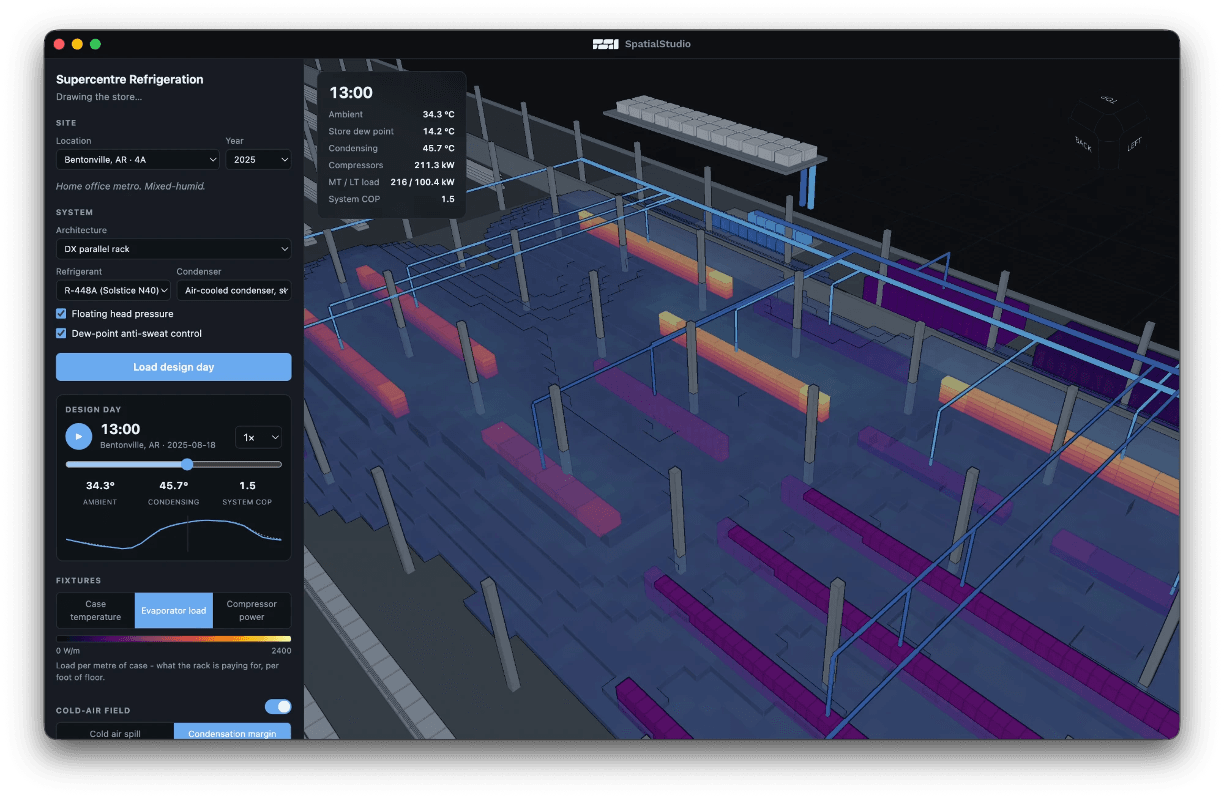
What is it?
SpatialStudio is an AI enabled workspace for building applications that work with spatial data. Start with a prompt, build on a proven 3D engine, and shape the result into an application for your workflow.
Powered by SpatialEngine, it brings spatial data, simulation, and custom interfaces together so you can turn an idea into a tool you can use.
Use familiar Python libraries such as NumPy and SciPy alongside your existing tools. Create your interface with web technologies, and use AI to help write and refine the application. Your project stays in ordinary files that you can inspect, edit, and version.
What can I do with it?
Build an application around the data and workflows you care about. Load a dataset, run a calculation, and add controls that let someone explore the result.
We’ve been using SpatialStudio to build everything from a medical scan viewer with adjustable tissue layers to a fluid simulation with movable obstacles and a construction viewer that shows a house going up over time.
Use familiar Python libraries such as NumPy and SciPy alongside your existing tools. Create your interface with web technologies, and use AI to help write and refine the application. Your project stays in ordinary files that you can inspect, edit, and version.
What’s coming?
- SpatialDrive integration: Store project data in the cloud and collaborate with engineers across your company.
- Geospatial tooling: Add web map tiles to place your data in its geographic context.
- More CAD functionality: Create and edit geometry as part of your application’s workflow.
This technical preview is an opportunity to try SpatialStudio and help shape its direction. We want to hear what you’re building, where you get stuck, and what would make it more useful for your work.