SpatialStudio
Prototype rapidly in Python with AI.Develop with your favorite framework.Publish portable apps.
Prototype spatial applications in Python with AI, then develop and package them for the desktop or browser.
Go from an idea to a working prototype in minutes. Build with Python, TypeScript, and Codex, and focus on getting the business logic right before worrying about production infrastructure.
SpatialStudio is designed for fast, fearless iteration. Try things, throw them away, and explore ideas without creating a mess you'll have to clean up later. Prototype quickly and safely, knowing that the same code can grow into a production application when the idea proves itself.
The platform handles the production groundwork behind the scenes, including undo/redo, versioning, backwards compatibility, authentication, authorization, cloud collaboration, and more. You can spend your time building the thing that makes your application valuable.
SpatialStudio fits into the way you already develop software. Use the languages, frameworks, IDEs, and AI tools you prefer. Python and TypeScript are first-class options, while the underlying engine is designed to be language agnostic.
Bring the ecosystem you already rely on, from NumPy, pandas, and SciPy to the rest of your existing development stack. Work locally in your normal development environment and use your favorite LLM directly from your IDE.
SpatialStudio provides the infrastructure your application needs to behave like a real product without requiring you to build that infrastructure yourself. Versioning, collaboration, authentication, authorization, compatibility, and other production concerns are built into the engine so your application code can stay focused on your domain.
Write once and run anywhere. Build applications for the desktop or browser without maintaining separate implementations of your application logic. SpatialStudio's engine works across environments, with Python and TypeScript available wherever they make sense.
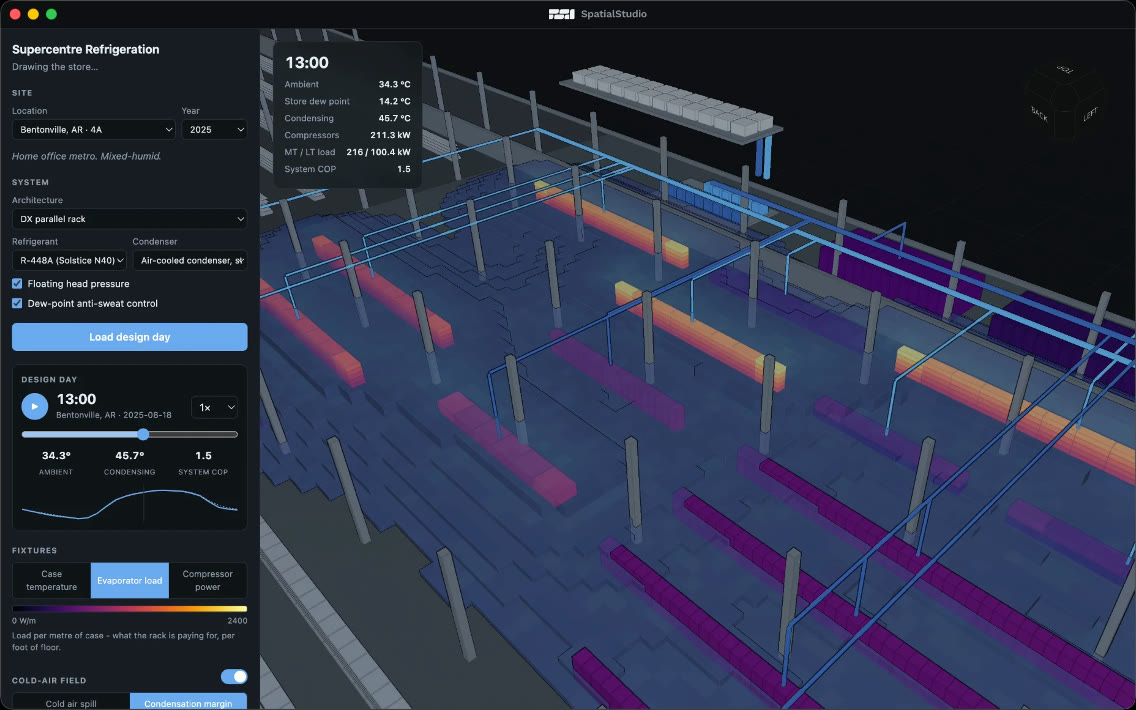
When you're ready to share your work, package it directly from SpatialStudio with one click. Turn your prototype into a polished application that looks and behaves like a standalone tool, not a development environment.
You can also skip Studio entirely. Package SpatialStudio applications manually and integrate them into your existing applications, build systems, and development workflows.
Publish tools for your internal teams, deploy applications across your organization, or package and distribute them as commercial products.

Download the Technical Preview
SpatialStudio is currently available as a free technical preview. Download it, try it with your own projects, and evaluate the platform without a commitment.
This is an early preview and we're shipping regular updates as the platform evolves. Commercial use requires a license; you only pay when you put SpatialStudio to commercial use.
Evaluation
Free
Personal, educational, and evaluation use.
- Full SpatialStudio and SpatialEngine
- Unlimited projects
- Run any published app
- Evaluate against your real data, for as long as you need
Internal
$300/user/mo
For building internal software. Requires SpatialDrive.
- Publish tools that run with one click
- Distribute them across your organization as trusted apps
- Connect them to your SpatialDrive
Distribution
5%gross revenue
For software you sell, license, or host for other people.
- The first $1M in lifetime product revenue is free
- $50,000 annual minimum after that, credited against royalties
- No seat fees
- OEM and multi-tenant terms available
SpatialDrive
Contact Us
Project storage, versioning, collaboration, and streaming.
- Version and edit volumetric data at scale
- Volumetric streaming
- Shared, versioned SpatialEngine projects
- Self hosted
- Single sign-on with your existing identity provider
Governed by the license agreement.